
Understanding Display Specs: Resolution, Refresh Rate, and Panel Type Decoded

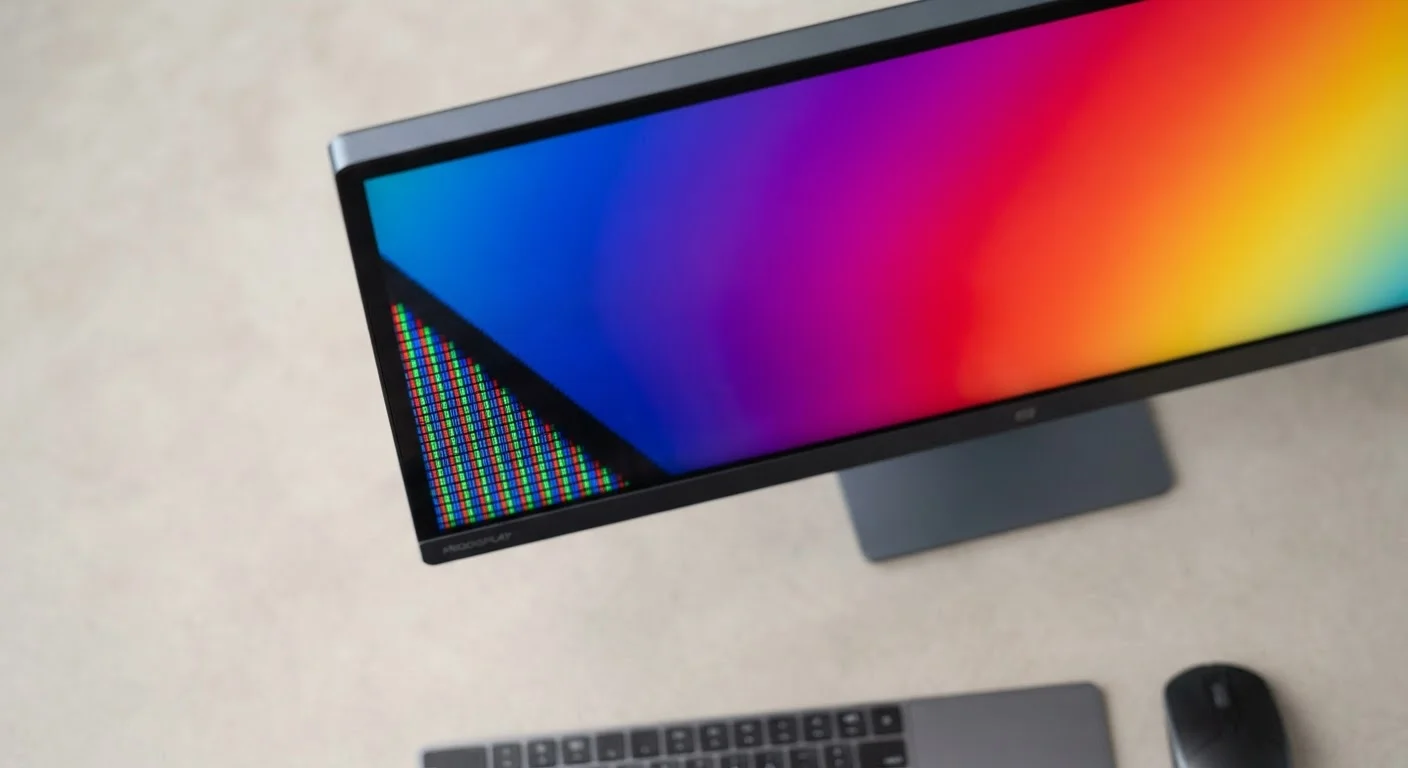
Photo: FaqExplorer.net | Informative Website editorial
Key Takeaways
- Resolution controls image sharpness - more pixels mean more detail, up to the limit your eyes can perceive at a given screen size.
- Refresh rate affects motion smoothness; 60Hz is adequate for general use, while 120Hz and above benefit gaming and video.
- IPS panels offer wide viewing angles and accurate color; VA panels deliver deeper contrast; OLED produces true black by turning pixels off entirely.
- Higher specs consume more power, which matters on laptops and mobile devices.
- Matching specs to your actual use case matters more than chasing the highest numbers.
Resolution: Pixels, Sharpness, and Screen Size Together
Resolution describes the total number of pixels a display uses, expressed as width × height. A 1920×1080 screen (called 1080p or Full HD) contains roughly 2 million pixels. A 3840×2160 screen (4K or UHD) contains about 8.3 million. More pixels mean more fine detail - but only up to a point that depends on screen size and how far away you sit.
The useful concept here is pixel density, measured in pixels per inch (PPI). A 1080p resolution on a 24-inch monitor produces about 92 PPI - which looks sharp at a desk. That same resolution stretched across a 55-inch TV looks noticeably softer at close range. This is why resolution always needs to be read alongside screen size.
Common resolution tiers and where they tend to appear:
- 1080p (Full HD): Standard for budget laptops and monitors; adequate for most productivity tasks.
- 1440p (QHD/2K): Popular on mid-range monitors and gaming displays, offering more screen real estate without the GPU overhead of 4K.
- 4K (UHD): Common on large TVs and premium desktop monitors; increasingly found on high-end laptops.
For a broader look at how resolution fits alongside other PC specifications, see our PC spec sheet glossary.
92 PPI
Typical pixel density of 1080p on a 24-inch monitor
Pixel density - not raw resolution - determines perceived sharpness at a given screen size and viewing distance.
120Hz
Refresh rate now standard on many mid-range smartphones
High refresh rate displays have moved from premium flagships to mid-range devices across major smartphone categories in recent years.
∞:1
Theoretical contrast ratio of OLED panels
Because OLED pixels emit no light when off, the contrast ratio is effectively limitless - a distinction from LCD technologies that always have some backlight bleed.
Refresh Rate: Why Motion Smoothness Matters Beyond Gaming
Refresh rate is the number of times per second a display redraws the image on screen, measured in hertz (Hz). A 60Hz display redraws 60 times per second; a 120Hz display does so 120 times. The practical effect is that fast-moving content - scrolling text, on-screen animations, gameplay - appears smoother and less blurry at higher refresh rates.
For everyday tasks like web browsing and document editing, 60Hz is generally sufficient. However, many users notice that even routine phone and laptop interfaces feel more fluid on a 90Hz or 120Hz display, because common gestures like scrolling become visibly smoother.
Match Refresh Rate to Your Hardware
For gaming, the relationship between refresh rate and frame rate matters. A 144Hz monitor only delivers a smoother experience if the device's graphics processor can actually produce 144 frames per second consistently. Mismatched hardware produces no benefit from the higher-spec display.
Variable refresh rate technologies (marketed under names like G-Sync or FreeSync) allow the display to dynamically match its refresh rate to the GPU's output frame by frame, eliminating a visual artifact called screen tearing without introducing input lag from frame buffering.
Panel Type: The Technology Behind Color, Contrast, and Viewing Angles
Panel type describes the underlying display technology - and it has the biggest impact on color quality, contrast, and how the image looks when viewed from an angle.
IPS (In-Plane Switching)
IPS panels use liquid crystals that shift horizontally, which produces wide, consistent viewing angles and reliable color accuracy. They are a common choice for photo editing, content creation, and general-purpose monitors. Contrast ratios are moderate - IPS cannot produce true black because the backlight always bleeds slightly through.
VA (Vertical Alignment)
VA panels tilt their liquid crystals vertically, which allows much deeper contrast ratios than IPS. Black levels are substantially better, making VA popular for home theater monitors and dark-room gaming. The trade-off is narrower viewing angles and occasional color shift at the sides of large curved displays.
OLED (Organic Light-Emitting Diode)
OLED panels eliminate the backlight entirely. Each pixel produces its own light and can switch off completely, delivering theoretically infinite contrast ratios and true black. OLED also enables extremely thin designs and fast pixel response times. The main considerations are susceptibility to permanent image retention (burn-in) with prolonged static content, and typically higher cost. OLED screens are increasingly common on smartphones, tablets, and premium laptops - areas covered in our Phones & Tablets guides and Home Tech explainers.
Reading Specs in Context: What to Prioritize for Your Use Case
Spec sheets list these values in isolation, but they interact in ways that matter for real purchasing decisions. A few practical frameworks:
- Office and productivity work: Prioritize resolution and panel accuracy (IPS is reliable here). Refresh rate beyond 60Hz offers minimal benefit for static content.
- Video streaming and movies: Contrast ratio matters most - VA or OLED panels produce more cinematic-looking dark scenes. A large screen benefits from at least 4K resolution at TV-sized viewing distances.
- Competitive gaming: High refresh rate (144Hz+) and low response time take priority over maximum resolution. Panel type depends on whether color accuracy or contrast is more important for the genre.
- Portable devices: Power efficiency becomes a real factor. A 4K OLED at maximum brightness on a laptop battery has meaningful costs in runtime.
Display specs follow similar interpretive logic to other hardware spec sheets. If you find yourself decoding more of a product listing, our complete PC spec glossary covers CPU, GPU, memory, and storage terminology in the same plain-language format. For audio, soundbar spec sheet terms follow a similar approach for Dolby Atmos and channel configurations.
Frequently Asked Questions
The content on this site is provided for informational purposes only and should not be considered a substitute for professional advice. While we strive to provide accurate and up-to-date information, we make no guarantees regarding its completeness or accuracy. Always consult a qualified professional for advice specific to your circumstances before making any decisions.