
Integrated vs. Dedicated Graphics: When Does a Separate GPU Actually Matter?

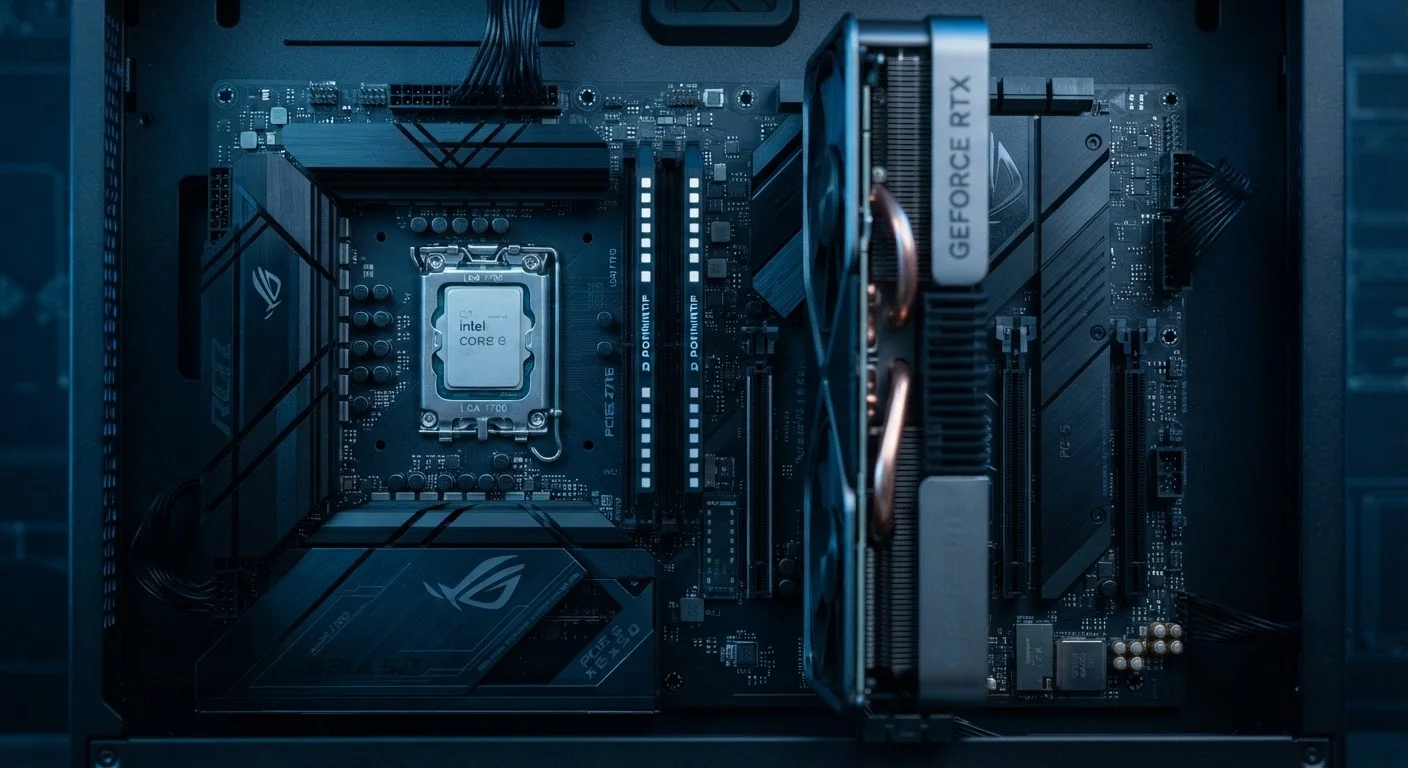
Photo: FaqExplorer.net | Informative Website editorial
Key Takeaways
- Integrated graphics share system RAM, while dedicated GPUs have their own faster video memory (VRAM).
- Most everyday computing tasks - browsing, documents, streaming - run perfectly well on integrated graphics.
- Gaming, 3D rendering, and professional video editing are where a dedicated GPU delivers meaningful gains.
- Dedicated GPUs consume more power and generate more heat, impacting battery life and device size.
- Modern integrated graphics have improved significantly and handle 1080p video and casual gaming adequately.
- Choosing the wrong setup wastes money - either overpaying for GPU power you won't use or struggling without it.
What Integrated and Dedicated Graphics Actually Are
Every computer needs a graphics processor to display an image on screen - the question is where that processor lives. Integrated graphics are built directly into the same chip as the central processing unit (CPU). They share the computer's main system RAM rather than having dedicated memory of their own. This integration is efficient: fewer components, lower power draw, and less heat produced.
Dedicated graphics - also called discrete GPUs - are separate chips with their own on-board video memory, called VRAM. Because they don't compete with the CPU for memory bandwidth, they can move vastly more graphical data per second. That separation is what makes them capable of handling complex 3D scenes, high-resolution textures, and parallel compute workloads.
For a plain-language breakdown of terms like VRAM, TDP, and GPU, see the PC spec sheet glossary - it covers every abbreviation you'll encounter while shopping.
| Criterion | Integrated Graphics | Dedicated Graphics (GPU) |
|---|---|---|
| Location | Built into the CPU chip | Separate chip on the motherboard |
| Memory | Shares system RAM | Own dedicated VRAM |
| Performance (gaming/3D) | Limited; suits older/casual games | High; handles modern titles |
| Power draw | Low | Significantly higher |
| Battery life impact | Minimal | Noticeable reduction |
| Heat output | Low | Higher; requires active cooling |
| Cost impact | No added cost | Increases device price |
| Best for | Productivity, browsing, streaming | Gaming, rendering, AI workloads |
Where Integrated Graphics Are Genuinely Sufficient
Integrated graphics have improved dramatically over the past several years. Current-generation integrated solutions can handle 4K video playback, video conferencing, photo editing in consumer applications, and even some older or less-demanding games at modest settings. For the majority of people buying a laptop or desktop for everyday use, integrated graphics are not a meaningful limitation.
Specifically, integrated graphics perform without issue for: web browsing, word processing, spreadsheets, email, streaming services, casual gaming (think puzzle games, older titles, or indie games with simple visuals), and light photo editing. If these describe most of your computing habits, paying a premium for a discrete GPU adds cost and weight without a practical benefit.
~60%
PC users who primarily use computers for productivity and browsing
Industry usage surveys consistently show the majority of consumer PC use involves web, communication, and office tasks - workloads where integrated graphics are fully capable.
2-4×
Typical export speed improvement with GPU acceleration in video editing
GPU-accelerated encoding in professional video software can reduce render times by a factor of two to four compared to CPU-only processing, depending on the workload.
Thin-and-light laptops almost universally use integrated graphics, and that's by design - removing the discrete GPU allows manufacturers to reduce chassis thickness, extend battery life, and lower the price. If portability is a priority, check out our guide on whether a tablet or laptop fits your real habits to think through the full form-factor decision.
The Workloads That Actually Need a Dedicated GPU
There are clear, measurable scenarios where integrated graphics become a bottleneck and a dedicated GPU changes the experience in a concrete way:
- Modern PC gaming: Game engines render thousands of complex polygons per frame, require large texture libraries held in fast VRAM, and demand consistent throughput that integrated graphics cannot sustain at acceptable frame rates in recent titles.
- Video editing and color grading: Professional applications such as DaVinci Resolve and Adobe Premiere Pro use GPU acceleration for real-time playback, effects rendering, and export encoding. A dedicated GPU can reduce a lengthy export from hours to minutes.
- 3D modeling and rendering: Software used in architecture, product design, and animation offloads rendering calculations to the GPU. Without a discrete card, renders run on the CPU alone, which is significantly slower.
- Machine learning and AI workloads: Training neural networks relies on the parallel processing architecture of GPUs. Frameworks built for this purpose require a compatible discrete GPU to function at practical speeds.
If any of these scenarios apply regularly to your work, the performance gap between integrated and dedicated graphics is large enough to justify the added expense. For help thinking through desktop versus laptop trade-offs in this context, the laptop vs. desktop comparison is a useful next read.
The Real Trade-Offs: Heat, Battery, and Budget
Choosing a dedicated GPU is not purely a performance upgrade - it comes with meaningful trade-offs that matter depending on how and where you use your computer.
Power consumption: Discrete GPUs draw considerably more power than integrated solutions. In a laptop, this translates directly to reduced battery life when the GPU is active. Some laptops switch automatically between integrated and discrete graphics depending on workload, preserving battery during light tasks - this is worth confirming before purchasing.
Heat and cooling: More power means more heat. Laptops with dedicated GPUs typically require larger cooling systems - fans, heat pipes, and vents - which affects chassis size and can introduce fan noise during demanding tasks.
Cost: Adding a discrete GPU increases the price of a laptop or desktop. That premium may be well justified for the workloads described above, but it represents unnecessary spending for everyday users. A common buyer mistake is assuming a dedicated GPU makes a computer universally faster - it does not improve web browsing, document editing, or most productivity tasks in any measurable way.
It's also worth noting that a dedicated GPU affects connectivity decisions in thin laptops. Manufacturers sometimes remove ports to accommodate GPU cooling needs - the article on ports cut on thin laptops explains why that happens and what it means practically.
Laptop GPU Switching: What to Look For
The content on this site is provided for informational purposes only and should not be considered a substitute for professional advice. While we strive to provide accurate and up-to-date information, we make no guarantees regarding its completeness or accuracy. Always consult a qualified professional for advice specific to your circumstances before making any decisions.