
Keeping a Laptop Healthy for the Long Haul: Maintenance Habits That Hold Up

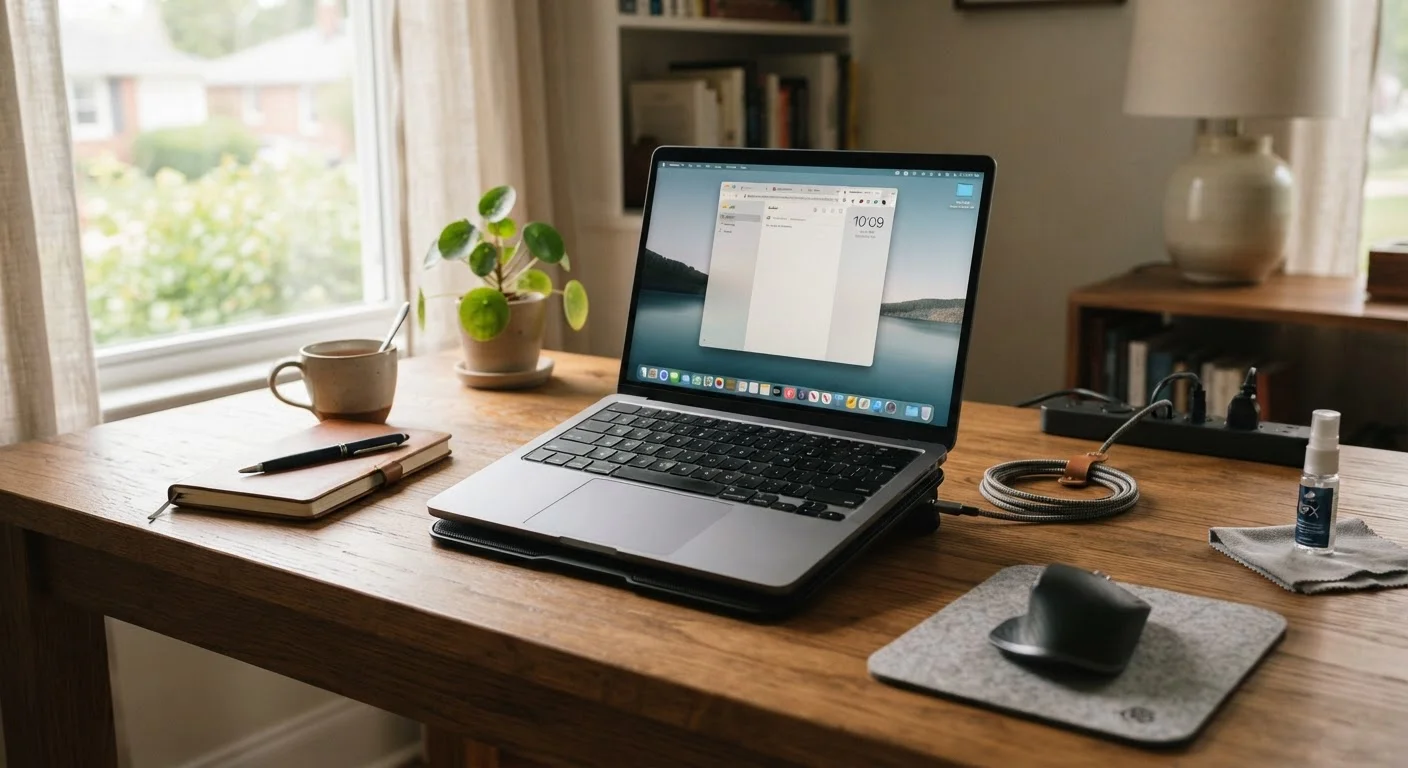
Photo: FaqExplorer.net | Informative Website editorial
Key Takeaways
- Battery charging habits - specifically avoiding full discharges - have a measurable impact on long-term battery capacity.
- Heat is a laptop's most persistent enemy; proper ventilation and surface choice matter more than most owners realize.
- Regular software hygiene, including OS updates and storage management, prevents slowdowns that mimic hardware failure.
- Physical care - cleaning vents, protecting the screen, safe storage - reduces mechanical and component wear over time.
- Many common 'laptop dying' symptoms are reversible with the right maintenance approach before hardware replacement is needed.
Why Maintenance Habits Matter More Than Specs
When most people evaluate a laptop, they focus almost entirely on the spec sheet - processor speed, RAM, storage capacity. What rarely comes up is how much the owner's daily habits will shape how long those specs remain relevant in practice. A well-maintained mid-range laptop will often outlast a neglected premium one by a significant margin.
The good news: most of the maintenance that makes a real difference costs nothing. It's a set of habits, not purchases. And just as phone longevity depends on overlapping factors, laptop lifespan comes down to the intersection of battery care, thermal management, software hygiene, and physical handling - all areas where everyday choices accumulate over time.
Keep battery charge between 20% and 80% whenever practical.
Always use the laptop on a hard, flat surface or a stand with clearance under the chassis.
Clean intake vents with compressed air every three to six months.
Keep the storage drive at least 15% free at all times.
Install operating system and driver updates on a regular cadence.
Carry the laptop in a snug, padded sleeve or case whenever transporting it.
Battery Health: The Most Misunderstood Variable
Lithium-ion batteries - the type found in virtually every modern laptop - degrade with charge cycles, heat exposure, and sustained high or low charge states. Most manufacturers design their batteries to retain around 80% of original capacity after 300-500 full charge cycles, though actual degradation varies based on usage patterns.
One of the most actionable things an owner can do is keep the battery charge between roughly 20% and 80% when possible, rather than routinely draining it to zero or keeping it plugged in at 100% for extended periods. Many laptops now include built-in battery health management settings that cap the charge at 80% specifically to slow this degradation - checking whether your machine has this option takes less than a minute. You can learn more about the full financial picture of laptop ownership, including battery replacement costs, in our article on the hidden costs of owning a laptop.
300-500
Typical full charge cycles before notable battery degradation
Most lithium-ion laptop battery manufacturers specify this range in published technical documentation as the point where capacity may drop to around 80% of original.
~15%
Minimum free storage space recommended for stable performance
Operating systems across major platforms use free drive space for system processes; consistently exceeding 85% capacity is associated with measurable slowdowns.
Heat, Ventilation, and Physical Care
Heat is the single most consistent threat to laptop longevity. Sustained high temperatures accelerate degradation in the battery, processor, and storage components. The most common source of excess heat isn't intensive workloads - it's blocked airflow from using a laptop on soft surfaces like beds, pillows, or couches that obstruct the bottom vents.
Using the laptop on a flat, hard surface - or a dedicated laptop stand or cooling pad - makes a noticeable difference in operating temperatures. Periodically cleaning dust from the vents with compressed air (held upright, in short bursts) prevents the internal fan from working harder than necessary. For owners who use their machines heavily, this is worth doing every few months.
Physical protection matters too. A well-fitting sleeve or case prevents screen flex and hinge damage during transport. Avoiding pressure on the closed lid - from items stacked on top in a bag - reduces the risk of screen damage, one of the more expensive repairs a laptop can need.
Software Hygiene: The Maintenance Layer People Skip
Hardware condition gets most of the attention, but software state is equally important. A laptop that runs slowly due to bloated startup programs, a nearly full storage drive, or an outdated operating system often gets misdiagnosed as aging hardware - when the underlying issues are entirely reversible.
Operating system and driver updates are worth keeping current. Beyond adding features, they often include security patches and performance fixes that directly affect how efficiently the machine runs. Storage drives operating above 85-90% capacity tend to slow down noticeably on most systems; keeping at least 15% of drive space free is a practical rule of thumb. Periodically auditing startup programs - disabling ones that don't need to launch automatically - reduces boot times and background resource use.
Malware and adware also impose measurable performance penalties. Running a reputable security scan periodically, even on machines that feel fine, catches problems before they become obvious. The logic here isn't unlike following a structured maintenance schedule for a vehicle - consistent, moderate effort beats reactive damage control.
“The number one thing that shortens a laptop's life isn't heavy use - it's neglect. The machine will handle demanding work just fine if you give it airflow, keep the software clean, and don't abuse the battery.”
— Consumer Electronics Repair Technician, Certified computer repair professional with over a decade of service experience
The content on this site is provided for informational purposes only and should not be considered a substitute for professional advice. While we strive to provide accurate and up-to-date information, we make no guarantees regarding its completeness or accuracy. Always consult a qualified professional for advice specific to your circumstances before making any decisions.