
Factors That Affect How Long a Phone Lasts Before It Needs Replacing

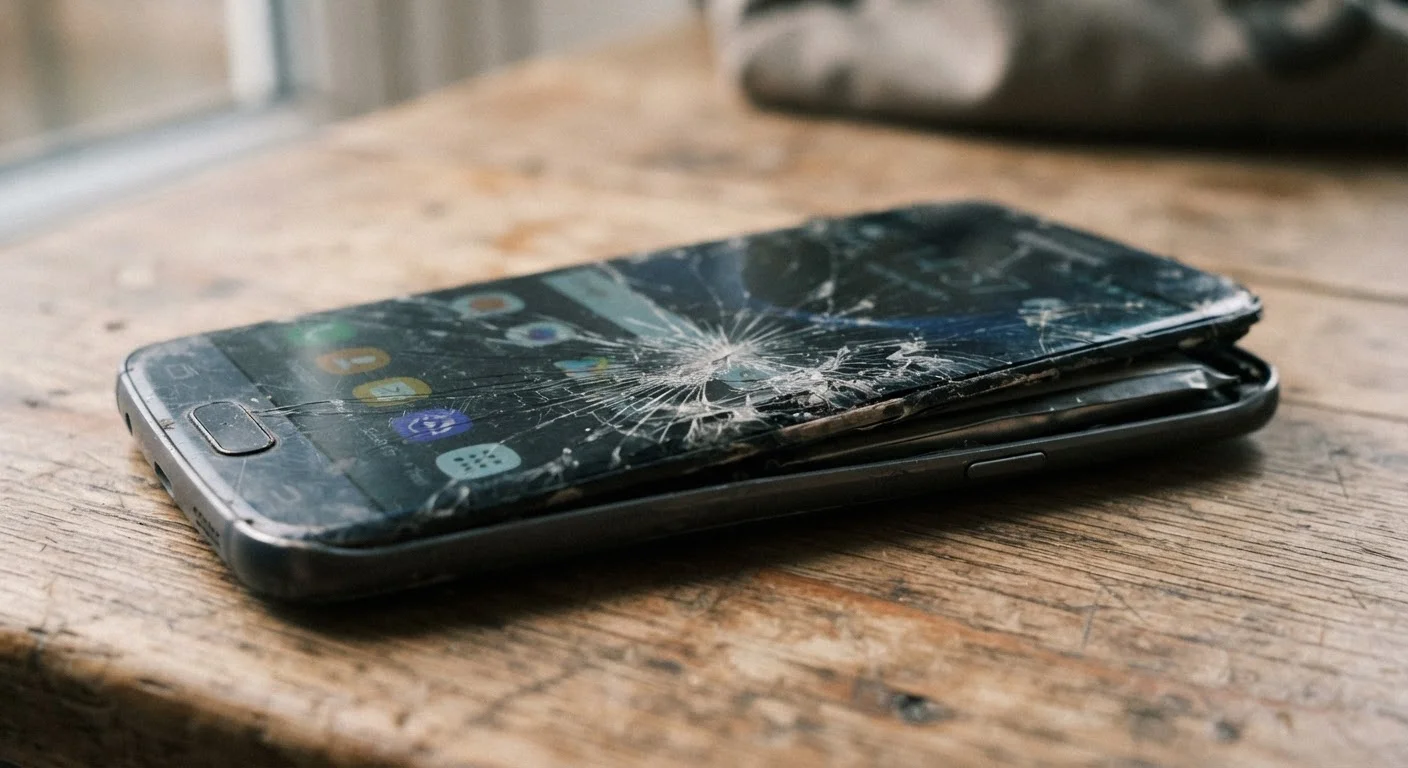
Photo: FaqExplorer.net | Informative Website editorial
Key Takeaways
- Software support cutoffs often end a phone's useful life before its hardware fails.
- Battery degradation is predictable and accelerates with certain charging habits.
- Build quality and repairability significantly influence how many years a phone stays functional.
- Processing power relative to app demands determines whether older phones feel slow or capable.
- Understanding these factors before buying helps consumers choose phones with longer practical lifespans.
Why Phone Lifespan Is More Complicated Than It Looks
Most phones don't fail suddenly - they become obsolete gradually. A device that runs perfectly on day one may feel sluggish, unsupported, or simply inadequate three years later. That shift isn't random. Several well-defined factors drive it, and understanding them helps you predict how long a phone will realistically serve you - and when replacement starts making sense.
The average American keeps a smartphone for roughly two to four years, though that range varies significantly based on how the phone is used, maintained, and supported by its manufacturer. Lifespan isn't just about hardware survival - it's about whether the device stays useful, secure, and compatible with the apps and services you depend on. For context on how network capabilities can affect long-term utility, see our piece on how 5G and 4G LTE differ for everyday users.
Software Support and Security Update Timelines
When a manufacturer stops issuing operating system updates and security patches for a device, that phone effectively has an expiration date - even if the hardware still works. Without security patches, vulnerabilities go unaddressed, making the device increasingly risky to use for banking, email, or any sensitive activity. Without OS updates, apps begin requiring newer system versions and eventually stop working altogether.
Support windows vary considerably by manufacturer. Some commit to four or more years of major OS updates; others provide only two. This timeline is often a more reliable predictor of a phone's useful life than any hardware specification on the product page.
A phone's software support window is often a more reliable lifespan predictor than its hardware specs.
Battery Health Degradation Over Time
Lithium-ion batteries - the type used in virtually all modern smartphones - lose capacity with every charge cycle. After 300 to 500 full cycles, most batteries retain somewhere between 80% and 85% of their original capacity, though real-world results vary based on charging habits, temperature exposure, and usage patterns.
Charging to 100% repeatedly, exposing the phone to high heat, and using fast charging frequently can accelerate degradation. As capacity shrinks, battery life shortens noticeably, and eventually the phone may not last through a typical day. For a deeper look at how charging behavior affects battery longevity, our article on how phone batteries actually work covers the mechanics in detail.
Repeated high-heat exposure and constant full charges accelerate battery capacity loss faster than normal cycling.
Processing Power Relative to Evolving App Demands
Apps and operating systems grow more resource-intensive over time. A processor that handled tasks smoothly in its launch year may struggle three years later as software complexity increases. This shows up as slower load times, laggy animations, dropped frames in video, and longer waits during multitasking.
Phones with more capable processors - higher-core-count chips with efficient architectures - tend to age more gracefully because they have more headroom before app demands outpace their capabilities. Mid-range chips often hit this ceiling sooner than flagship-tier options, which is worth factoring in when evaluating a device's long-term value.
Processing headroom at purchase time directly determines how long a phone feels fast rather than frustratingly slow.
Build Quality, Materials, and Physical Durability
The physical construction of a phone affects how well it survives the unavoidable bumps, drops, and daily handling of real-world use. Devices with metal or reinforced glass frames, higher ingress protection (IP) ratings against dust and water, and tougher display glass tend to sustain less damage over time.
IP ratings - expressed as IP67, IP68, or similar designations - indicate how well a device resists liquid exposure. An IP68-rated phone can typically survive submersion in fresh water up to a specified depth for a limited time, while lower-rated or unrated devices offer far less protection. Physical damage to screens, ports, or buttons is one of the leading practical reasons consumers replace phones ahead of schedule.
Higher IP ratings and reinforced materials reduce the likelihood of physical damage cutting a phone's lifespan short.
Repairability and Availability of Replacement Parts
When a battery degrades or a screen cracks, the ability to repair the device at a reasonable cost can extend its life by years. Phones designed with repairability in mind - using standard screws, modular components, and publicly available parts - give owners more options when something goes wrong.
Conversely, devices with heavily adhesive-bonded assemblies, proprietary screws, or limited third-party parts availability are harder and more expensive to fix. When a repair costs nearly as much as a replacement, most consumers choose to upgrade. Checking independent repairability assessments before purchasing can reveal how serviceable a device will be down the road. For a parallel look at how these decisions play out with computers, see our piece on laptop maintenance habits that extend device life.
A phone's repairability determines whether a broken screen or dead battery ends its life prematurely.
Storage Capacity and How It Affects Performance Over Time
As phones accumulate photos, apps, cached data, and downloaded files, available storage shrinks. Operating systems and many apps require a buffer of free space to function efficiently - when storage fills up, performance can degrade noticeably. Devices with limited internal storage and no expansion options (such as a microSD card slot) reach this threshold sooner.
Choosing a phone with more storage than you think you need at purchase provides meaningful headroom as apps grow larger and media libraries expand. It's one of the more overlooked factors in long-term satisfaction with a device.
Insufficient storage headroom causes real performance slowdowns long before hardware or software support becomes a concern.
Making Sense of the Full Picture
No single factor determines a phone's lifespan on its own. Battery degradation, software support timelines, build quality, processing headroom, and repairability all interact. A phone with excellent hardware but a short software support window may still need replacing earlier than a more modest device that receives updates for five or more years.
Research Support Commitments Before You Buy
If longevity is a priority, it's worth researching a manufacturer's stated support commitment before purchasing - not just the specs listed on the box. And if you're thinking about what happens when the time does come to move on, our guide on phone trade-in and resale value explains how lifespan factors directly affect what you'll recover at resale.
The content on this site is provided for informational purposes only and should not be considered a substitute for professional advice. While we strive to provide accurate and up-to-date information, we make no guarantees regarding its completeness or accuracy. Always consult a qualified professional for advice specific to your circumstances before making any decisions.