
Streaming Device or Smart TV Built-In: Understanding the Real Difference

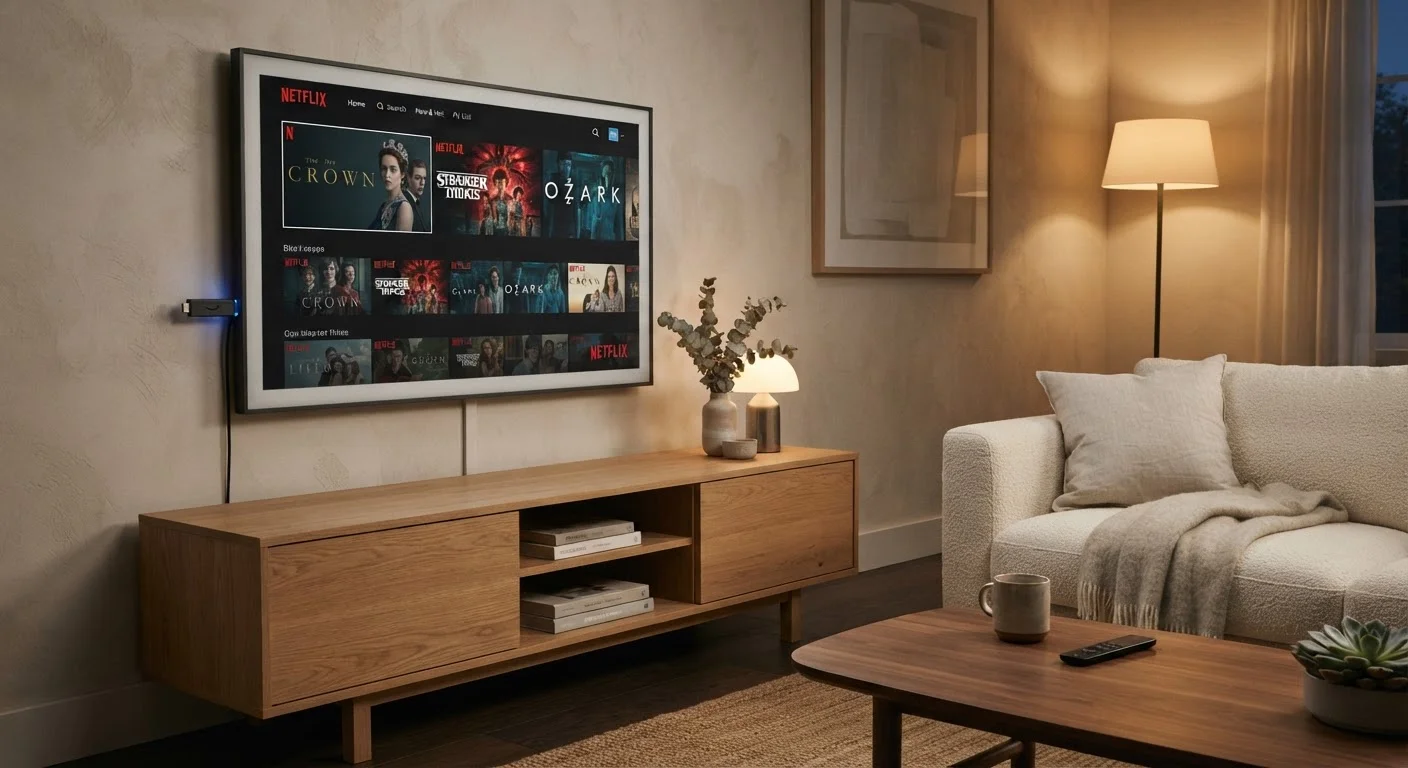
Photo: FaqExplorer.net | Informative Website editorial
Key Takeaways
- Smart TV platforms vary widely by manufacturer and often receive slower software updates than external devices.
- External streaming devices typically offer faster processors and more consistent app ecosystems.
- Built-in smart TVs reduce cable clutter but can become outdated faster than the display itself.
- Streaming sticks and boxes can be moved between TVs and upgraded independently of the screen.
- Neither approach is universally better - the right choice depends on how you watch and how often your needs change.
What You're Actually Comparing
When you buy a modern television, it almost certainly includes a built-in smart platform - a self-contained operating system that runs streaming apps directly on the TV. These range from widely deployed platforms like Roku TV, Google TV, and proprietary systems developed by individual TV manufacturers. An external streaming device, by contrast, is a separate piece of hardware - typically a small stick or compact box - that plugs into an HDMI port and runs its own operating system independently of whatever the TV natively offers.
On the surface, both do the same job: they get you to Netflix, YouTube, or any other streaming service you subscribe to. The meaningful differences lie in how well they do that job over time, and how much control you have over the experience. For a broader look at what else matters when evaluating a TV purchase, our guide to common TV spec traps covers pitfalls worth knowing before you commit.
| Criterion | Smart TV Built-In | External Streaming Device |
|---|---|---|
| Setup complexity | Minimal - no extra hardware | Simple plug-in, one extra device |
| Software update frequency | Varies by manufacturer | Generally faster and more consistent |
| Long-term support window | Often shorter than TV lifespan | Replaceable independently of the TV |
| Processing performance | Varies widely by TV price tier | Typically stronger for the price |
| App library breadth | Platform-dependent | Generally broader on major platforms |
| Portability | Fixed to the TV | Works on any HDMI-equipped screen |
| Remote integration | Seamless with TV remote | Separate remote or HDMI-CEC |
Software Updates and Long-Term Support
One of the clearest practical differences between these two approaches is how each receives software updates. External streaming devices are managed by companies whose entire business revolves around the streaming platform - so updates, new app support, and interface improvements typically arrive faster and last longer. Manufacturers of streaming hardware tend to prioritize keeping their platforms current because their product is the software.
Smart TV manufacturers, by comparison, juggle display hardware, panel technology, audio systems, and software all at once. The TV's operating system is one part of a much larger product, and update support windows are often shorter than the display's actual useful life. A television panel can physically function well for a decade; its built-in platform may stop receiving app updates or security patches considerably sooner. This isn't universal - some manufacturers have improved their software support commitments - but it remains a genuine structural disadvantage for built-in systems as a category.
5-7 years
Typical TV display usable lifespan
Consumer electronics analysts generally estimate modern flat-panel TVs remain functionally reliable for roughly five to seven years or longer under normal use.
2-4 years
Typical smart TV OS support window
Software support periods for built-in TV platforms have historically trailed the physical lifespan of the display, varying considerably by manufacturer.
Under $50
Entry cost for a streaming stick
External streaming devices are available at relatively modest price points, making them an accessible upgrade for older televisions with capable displays.
Performance, App Libraries, and Interface Consistency
Processing power matters more than many buyers expect. Streaming platforms benefit from faster chips for quicker app loading, smoother navigation, and better handling of 4K or HDR content menus. External streaming devices, sold at price points where the hardware specs drive purchasing decisions, have tended to offer more capable processors relative to cost than the built-in chips in comparably priced televisions.
App availability can also differ. A streaming device built around a major platform typically has broader app library support and faster access to newly launched services. Some built-in TV platforms have historically been slower to add new apps or update existing ones - though this gap has narrowed for platforms that are widely licensed across many TV brands.
Interface consistency is another practical consideration, particularly in households with multiple TVs or people who aren't deeply familiar with technology. An external streaming device delivers the same layout, the same remote behavior, and the same account access on any screen it's connected to. Built-in platforms, even from the same manufacturer, can vary noticeably across TV model tiers and release years.
For context on how the underlying display technology interacts with streaming content, see our breakdown of OLED vs QLED panels, and our explainer on resolution terms like 4K and 8K if you want the full picture before making a decision.
Practical Trade-Offs Worth Considering
Built-in platforms have real advantages that aren't purely about software. They eliminate an extra device, an extra power cable, and the need to switch HDMI inputs. Many integrate deeply with the TV's own remote control, letting a single button handle power, volume, and streaming navigation together. For viewers who value simplicity above flexibility, that integration is genuinely useful.
External devices require a power source - typically a USB port on the TV or a wall adapter - and add a small physical footprint. Some users find managing two remotes (or relying on HDMI-CEC control, which links device functions through the TV's remote) to be a minor inconvenience. Whether that trade-off is worth it depends heavily on how technically comfortable you are and how long you expect to keep your current TV.
One factor that often goes unmentioned: if you already own a TV with a capable, well-supported built-in platform, adding an external device may be redundant. But if your TV's built-in platform feels sluggish, lacks apps you want, or has stopped receiving meaningful updates, an external streaming device is one of the more cost-effective ways to extend the TV's practical usefulness - without replacing the screen itself.
HDMI-CEC: One Remote for Everything
The content on this site is provided for informational purposes only and should not be considered a substitute for professional advice. While we strive to provide accurate and up-to-date information, we make no guarantees regarding its completeness or accuracy. Always consult a qualified professional for advice specific to your circumstances before making any decisions.