
TV Resolution Terms Decoded: HD, 4K, 8K, and What They Actually Mean

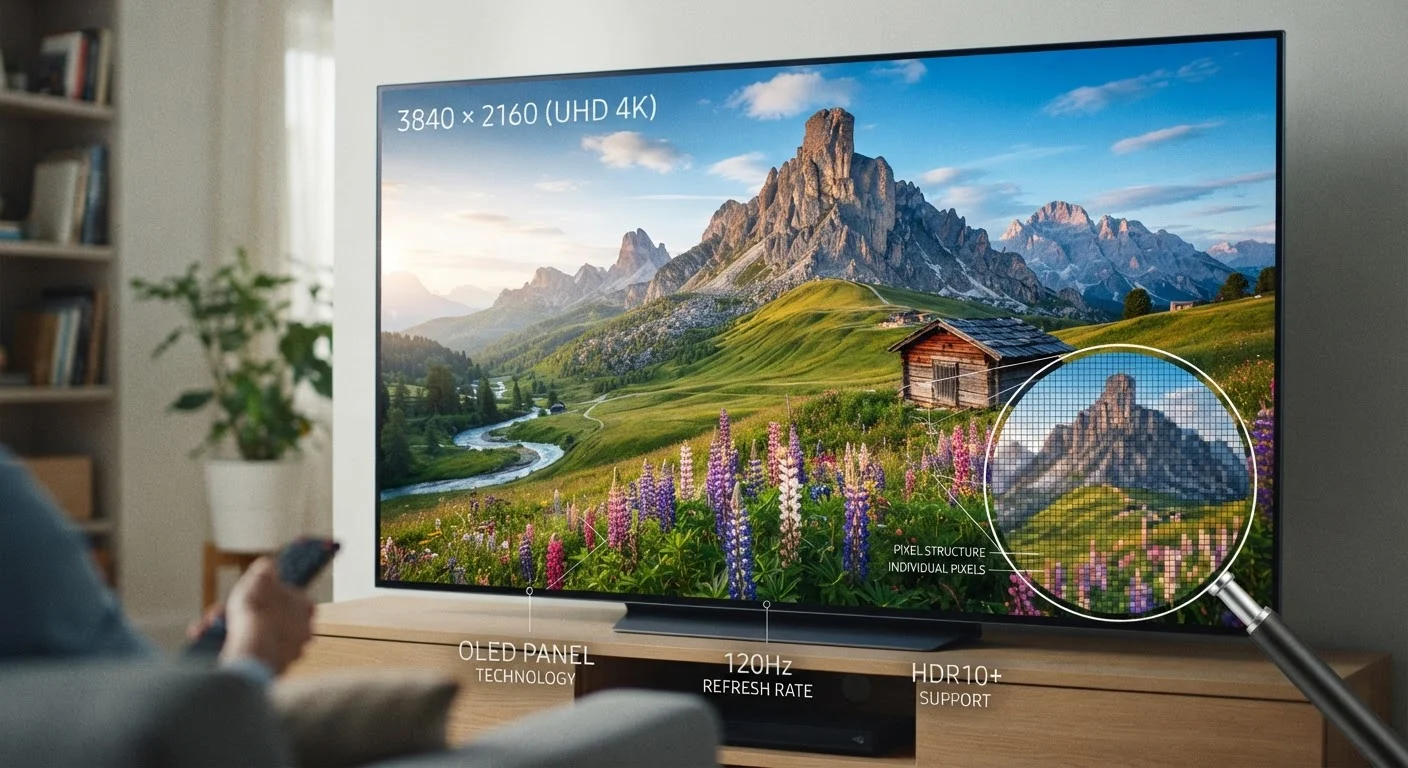
Photo: FaqExplorer.net | Informative Website editorial
What Resolution Actually Measures
When a TV spec sheet lists a resolution, it's describing the total number of pixels packed into the screen - specifically, how many run horizontally across the display multiplied by how many run vertically. More pixels generally means a finer, more detailed image, but the relationship between resolution and picture quality is more nuanced than a single number suggests.
Resolution is typically written as two numbers (e.g., 1920×1080) or expressed as a shorthand label (e.g., 1080p or 4K). The "p" in 1080p stands for progressive scan, which refers to how the image is drawn on screen - all lines simultaneously, rather than alternating lines as with older interlaced formats. Nearly all modern TVs use progressive scanning.
Resolution alone doesn't determine how good a TV looks. Panel technology, local dimming, color volume, and the quality of upscaling processing all play significant roles. For a deeper look at how panel type intersects with picture quality, see what panel differences mean for your living room.
| HD (720p) pixel count | 1,280 × 720 ≈ 921,600 pixels |
| Full HD (1080p) pixel count | 1,920 × 1,080 ≈ 2.07 million pixels |
| 4K (Ultra HD) pixel count | 3,840 × 2,160 ≈ 8.3 million pixels |
| 8K pixel count | 7,680 × 4,320 ≈ 33.2 million pixels |
| 4K vs. 1080p pixel ratio | 4× more pixels |
| Most common U.S. TV resolution (current market) | 4K (Ultra HD) (General market consensus, consumer electronics industry reporting) |
HD, Full HD, and 4K: What Each Label Means
HD (720p) refers to a resolution of 1280×720 pixels - roughly 921,600 total pixels. This standard became widespread in the early era of flat-panel TVs and is still found on smaller screens and budget models. At typical living-room viewing distances on screens under 40 inches, 720p can look acceptable, but detail starts to thin out on anything larger.
Full HD (1080p) - 1920×1080 pixels, totaling about 2.07 million pixels - became the consumer standard for over a decade and remains the native resolution of most broadcast and streaming content. A 1080p signal is what most cable boxes, Blu-ray discs, and standard streaming plans deliver.
4K (Ultra HD) carries a resolution of 3840×2160 pixels - approximately 8.3 million pixels, or four times the pixel count of 1080p. That quadrupling allows for noticeably finer detail on screens 50 inches and larger, especially at closer viewing distances. Most current-generation TVs sold in the U.S. are 4K, and streaming services increasingly offer 4K tiers, though those streams are also subject to compression that affects perceived sharpness.
Resolution
The total number of pixels displayed on a screen, described as width × height (e.g., 3840×2160). Higher resolution means more pixels and potentially finer image detail.
Progressive scan (p)
A method of displaying video where all horizontal lines of a frame are drawn simultaneously. All modern TVs use progressive scanning, which is why resolutions are labeled 1080p or 2160p.
Upscaling
A processing technique where a TV expands lower-resolution content to fill a higher-resolution screen. Quality varies depending on the TV's internal processor.
Ultra HD (UHD)
The industry-standard term for 4K resolution (3840×2160). UHD and 4K are used interchangeably in consumer marketing, though technically 4K originates from a cinema standard with slightly different dimensions.
Pixel density (PPI)
The number of pixels per inch on a screen. A smaller screen at a given resolution has higher pixel density than a larger screen at the same resolution, which affects perceived sharpness.
Native resolution
The actual number of pixels a display panel physically contains. Content displayed at native resolution requires no scaling and typically looks sharpest.
Content availability matters as much as the TV's native resolution. A 4K TV displaying a 1080p source must upscale the image - a process handled by the TV's internal processor. Upscaling quality varies considerably between manufacturers and models, which is one reason two 4K TVs can look noticeably different playing the same content.
8K: What It Is and Where It Stands
8K (7680×4320 pixels) delivers roughly 33 million pixels - sixteen times the pixel count of 1080p and four times that of 4K. The increase is real and measurable, but practical benefits at typical home viewing distances are a subject of ongoing debate among display researchers and industry analysts.
The human eye's ability to resolve individual pixels depends on both the screen size and how far away you're sitting. On a 75-inch screen viewed from 9 feet away - a common living-room scenario - distinguishing 8K detail from 4K typically requires very close inspection. The gains become more apparent on very large screens (85 inches and above) at shorter viewing distances.
The more significant practical limitation is content. As of now, native 8K content is extremely scarce for consumers. Most 8K TVs display upscaled 4K or 1080p material. The technology is not irrelevant - manufacturers argue that upscaling from a true 8K panel produces sharper results than 4K upscaling - but this is a marketing claim that varies by implementation and is difficult to verify without direct comparison.
For most households, 8K is a forward-looking specification rather than an immediately practical one. If you're weighing whether advanced display specs translate to value, the spec traps that catch most shoppers is worth reading before making a decision.
Resolution in Context: Viewing Distance and Screen Size
Resolution only matters relative to screen size and how far you sit from the TV. A simple way to think about it: the larger the screen and the closer you sit, the more a higher resolution will be visible and worthwhile.
Display researchers have established approximate viewing distance thresholds beyond which additional resolution offers diminishing perceptual returns. For a 55-inch screen, the point at which 4K becomes distinguishable from 1080p is roughly 5 to 7 feet. Sitting farther back can make the difference between the two imperceptible under normal conditions.
This is also why resolution labels can feel disconnected from real-world experience. A viewer sitting 12 feet from a 65-inch 4K TV may not perceive much difference versus a well-calibrated 1080p set at the same distance - but closer seating or a larger screen shifts that calculation significantly. Resolution is just one variable; refresh rate is another that affects perceived smoothness. See why 120Hz feels different from 60Hz for how that spec layer works.
Understanding these variables positions you to evaluate specs as a system rather than a checklist - and to avoid paying for numbers that won't translate into a noticeably better picture in your specific room setup.
The content on this site is provided for informational purposes only and should not be considered a substitute for professional advice. While we strive to provide accurate and up-to-date information, we make no guarantees regarding its completeness or accuracy. Always consult a qualified professional for advice specific to your circumstances before making any decisions.