
Understanding Refresh Rate: Why 120Hz Feels Different From 60Hz

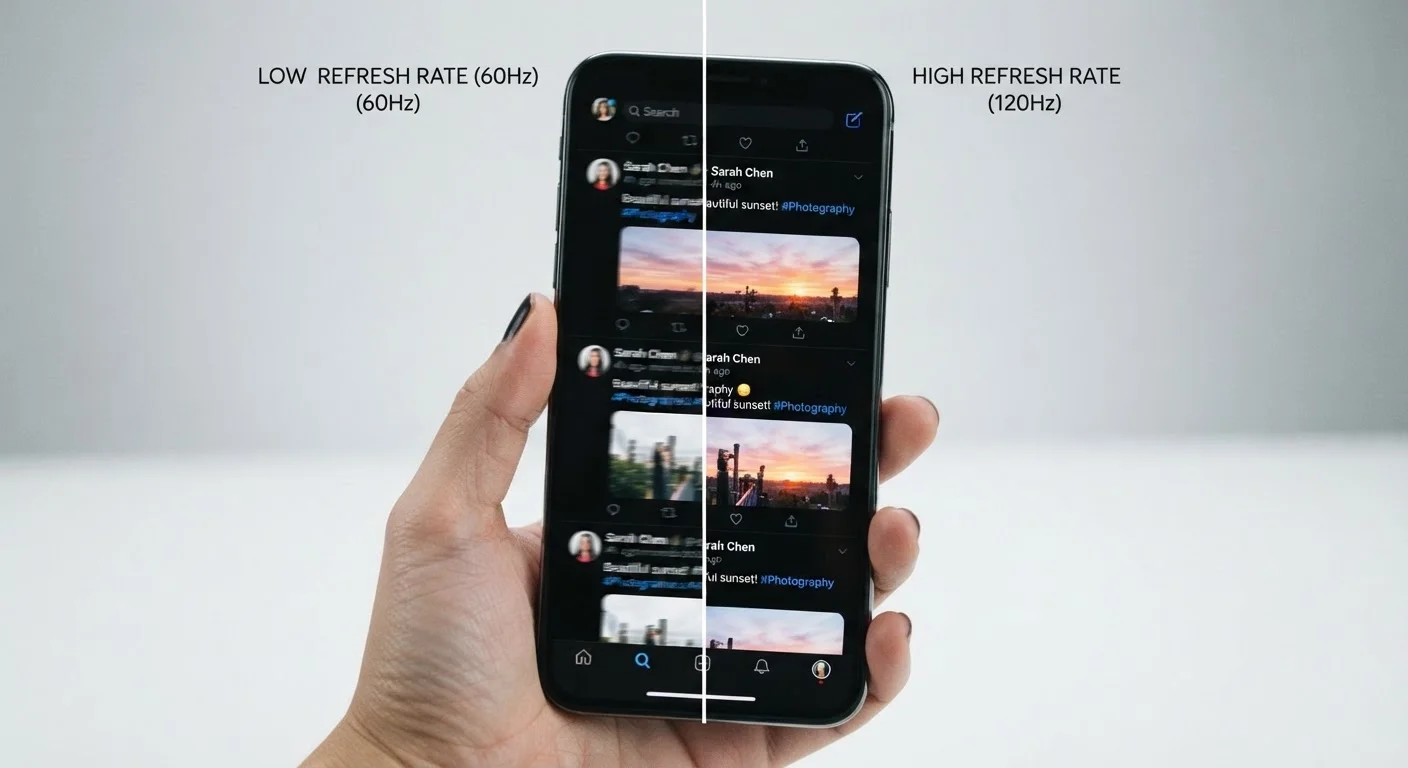
Photo: FaqExplorer.net | Informative Website editorial
Key Takeaways
- 120Hz screens redraw the image twice as often as 60Hz screens, making motion visibly smoother.
- The difference is most noticeable when scrolling, gaming, or watching fast-moving content.
- Higher refresh rates typically draw more battery power, though many devices use adaptive refresh to manage this.
- Refresh rate alone doesn't determine overall display quality - panel type and resolution also matter.
- Not every use case benefits equally; static tasks like reading documents show little difference.
What the Numbers Actually Mean
When you see "120Hz" on a phone or TV spec sheet, it's telling you something specific: that screen redraws its entire image 120 times every second. At 60Hz, that same redraw happens half as often - 60 times per second.
Think of it like a flipbook animation. The more pages the book has - and the faster you flip them - the smoother the motion looks. A 120Hz display is essentially flipping twice as many pages in the same second as a 60Hz one.
This matters most when something on screen is moving. Scrolling through a webpage, swiping between apps, watching an action sequence, or playing a game - all of these involve rapidly changing images. At 60Hz, each "frame" is displayed for about 16.7 milliseconds before the next one appears. At 120Hz, that window drops to roughly 8.3 milliseconds. That smaller gap between frames is what creates the perception of fluid, continuous motion rather than subtle choppiness.
8.3ms
Time between frames at 120Hz
Compared to 16.7ms at 60Hz - that halved interval is what creates the perception of smoother, more continuous motion.
120Hz+
Refresh rate on many flagship phones
High refresh rate displays have become a common feature tier in mid-range and premium smartphones across major manufacturers.
1Hz-120Hz
Range for adaptive refresh rate displays
LTPO and similar adaptive panel technologies can scale dynamically across this range to balance visual quality and battery efficiency.
Where You'll Actually Notice the Difference
The gap between 60Hz and 120Hz isn't equally obvious in every situation. Context matters significantly.
Scrolling is where most users feel the difference first. Text and images on a 120Hz screen track your finger with noticeably less lag. On a 60Hz screen, fast scrolling can cause content to appear slightly smeared or staggered - a phenomenon called motion blur.
Touch responsiveness also benefits. Higher refresh rates often correlate with lower touch latency (how quickly the screen registers your input), which makes interactions feel more immediate.
Gaming is the use case where refresh rate arguably matters most. Fast-moving games benefit from smoother frame delivery, which can translate to more precise control in action-heavy genres.
Video playback is more nuanced. Since most streaming content is produced at 24 or 30 fps, a 120Hz screen doesn't inherently make movies look smoother - unless the device applies frame interpolation, which is a separate and often controversial feature.
For static tasks - reading a document, viewing a photo, or filling out a form - refresh rate has essentially no visible impact. This is why adaptive refresh rate technology matters: it lets the display scale down to conserve battery during those moments. See our full guide to display specs for how refresh rate fits alongside panel type and resolution.
Test Refresh Rate Before Deciding
Refresh Rate vs. Resolution: Two Different Things
A common point of confusion is treating refresh rate and resolution as interchangeable measures of screen quality. They're not - they describe completely different things.
Resolution (measured in pixels, like 1080p or 1440p) determines how much detail the screen can display. Refresh rate determines how smoothly that detail moves. You can have a very sharp, high-resolution display that still looks choppy during motion if its refresh rate is low - and vice versa.
For a deeper look at how resolution affects what you see day to day, our article on what screen resolution actually affects on a smartphone breaks down when those pixel counts matter and when they don't.
Understanding both specs together gives you a more complete picture before any display purchase - whether it's a phone, tablet, laptop, or TV. Our piece on TV resolution terms decoded applies similar plain-language logic to the television side of the equation.
The Battery and Hardware Trade-Off
Running a display at 120Hz demands more from both the screen hardware and the processor feeding it frames. That has real-world consequences.
Driving more refreshes per second increases power draw. On a phone, a sustained 120Hz display can meaningfully reduce battery life compared to 60Hz - though the exact impact varies by device design and display technology.
This is where adaptive refresh rate (sometimes marketed under names like LTPO or ProMotion) becomes relevant. Rather than locking to a fixed rate, these displays dynamically scale between a low floor (sometimes as low as 1Hz) and the maximum (120Hz or higher), depending on what's being shown. The result is that you get smooth motion when you need it and preserved battery life when you don't.
It's also worth noting that achieving a true benefit from a high refresh rate requires the device's processor to actually generate enough frames to keep pace. A 120Hz screen running a game that only manages 45 fps will not deliver a full 120Hz experience - the display can only show what the hardware produces. This intersects directly with processing power, which our article on RAM, storage, and processing power covers in more detail.
Marketing Labels Can Be Misleading
Frequently Asked Questions
The content on this site is provided for informational purposes only and should not be considered a substitute for professional advice. While we strive to provide accurate and up-to-date information, we make no guarantees regarding its completeness or accuracy. Always consult a qualified professional for advice specific to your circumstances before making any decisions.