
Expanding Storage on a Smartphone: What's Actually Possible and What Isn't

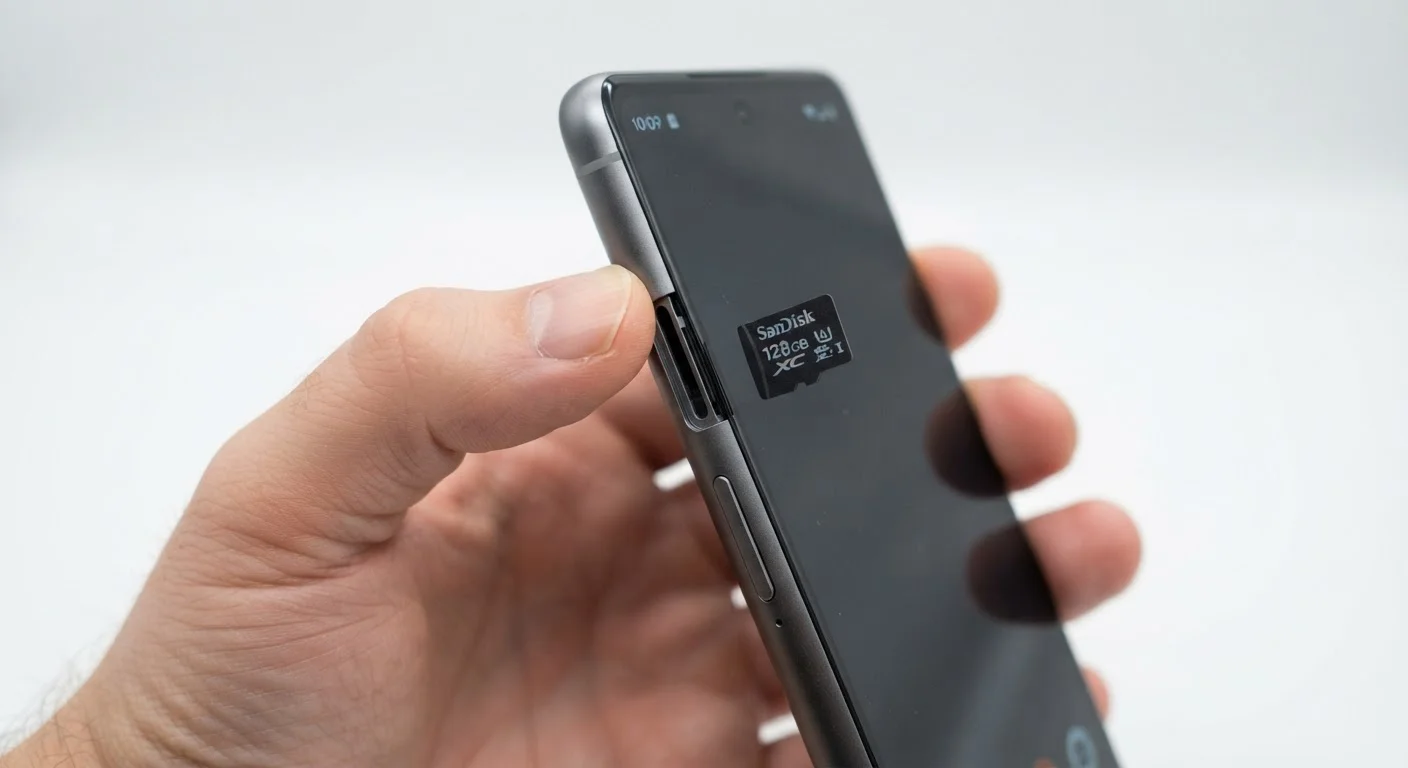
Photo: FaqExplorer.net | Informative Website editorial
Key Takeaways
- Many flagship smartphones no longer include a microSD card slot, making storage a fixed spec at purchase.
- Cloud storage can supplement internal space, but requires a reliable data connection and often a subscription.
- Android devices vary widely on expandable storage support; most iPhones have never offered a card slot.
- Internal storage cannot be upgraded after purchase on the vast majority of consumer smartphones.
- Choosing the right storage tier upfront is typically more cost-effective than managing workarounds later.
Affordable way to add significant media storage
A 256 GB microSD card can cost less than $25, making it one of the most cost-efficient ways to store photos, videos, and offline music on compatible Android devices.
Easy to transfer files between devices
Cards can be physically moved between compatible phones, cameras, and card readers, simplifying file transfers without cables or internet access.
Cloud storage is accessible from any device
Unlike physical cards, cloud-stored files are available on any device where you're signed in, which can be useful for cross-device workflows.
Reduces pressure to buy the highest storage tier
On phones that still support microSD, starting with a mid-tier internal storage model and adding a card may cost less than stepping up to the next storage configuration.
MicroSD slots increasingly absent from flagship phones
Many high-end Android devices and all iPhones ship without a microSD slot, making external card storage irrelevant for a growing portion of the market.
Cards are slower than internal storage
Even high-speed microSD cards are significantly slower than the UFS flash storage built into modern smartphones, which can impact app load times and file access speeds.
Cloud storage requires connectivity and a subscription
Cloud services are largely unusable without a data connection, and meaningful storage capacity beyond the free tier typically requires an ongoing monthly or annual fee.
Adoptable storage risks data loss on card failure
When a microSD card is formatted as adoptable storage and then fails or is accidentally removed, data stored on it may be permanently unrecoverable.
Internal storage cannot be upgraded post-purchase
Smartphone storage is soldered to the motherboard and there is no consumer upgrade path, making the initial purchase decision irreversible.
Why Storage Has Become More Complicated
Not long ago, nearly every Android smartphone included a microSD card slot, letting owners add tens or even hundreds of gigabytes of extra space for a few dollars. That era is fading. Many manufacturers - including those producing flagship-tier devices - have removed the slot to support slimmer designs, water-resistance ratings (higher IP ratings are harder to achieve with an exposed slot), and to push users toward higher-priced internal storage configurations.
iOS devices have never supported external storage cards. iPhones ship with fixed internal storage, and the only expansion options are iCloud subscriptions or, more recently, external drives connected via the device's cable port - a workaround, not a seamless solution.
Understanding what your phone actually supports before you buy is essential. As covered in our guide to smartphone specs, storage capacity listed on a product page refers to internal flash memory - not expandable potential.
MicroSD Cards: Where They Still Work and Where They Don't
On devices that do support microSD, the experience is not always uniform. Android allows two approaches: portable storage (the card behaves like a removable drive for media files) and adoptable storage (the card is formatted and merged with internal storage). Adoptable storage sounds appealing but carries a catch - if the card fails or is removed, data on it may be inaccessible or lost.
App performance is another consideration. Most apps, including system apps, are designed to run from fast internal storage (typically UFS 3.1 or UFS 4.0 in modern devices). Even a quality microSD card operates at significantly slower speeds. Loading times for apps stored on a card can be noticeably longer, and some apps refuse to move to external storage at all.
Affordable way to add significant media storage
A 256 GB microSD card can cost less than $25, making it one of the most cost-efficient ways to store photos, videos, and offline music on compatible Android devices.
Easy to transfer files between devices
Cards can be physically moved between compatible phones, cameras, and card readers, simplifying file transfers without cables or internet access.
Cloud storage is accessible from any device
Unlike physical cards, cloud-stored files are available on any device where you're signed in, which can be useful for cross-device workflows.
Reduces pressure to buy the highest storage tier
On phones that still support microSD, starting with a mid-tier internal storage model and adding a card may cost less than stepping up to the next storage configuration.
Card quality matters too. Budget microSD cards from unfamiliar brands have higher failure rates. Sticking to cards from established manufacturers and choosing an appropriate speed class (A1 or A2 rating for app performance) reduces but doesn't eliminate risk.
MicroSD slots increasingly absent from flagship phones
Many high-end Android devices and all iPhones ship without a microSD slot, making external card storage irrelevant for a growing portion of the market.
Cards are slower than internal storage
Even high-speed microSD cards are significantly slower than the UFS flash storage built into modern smartphones, which can impact app load times and file access speeds.
Cloud storage requires connectivity and a subscription
Cloud services are largely unusable without a data connection, and meaningful storage capacity beyond the free tier typically requires an ongoing monthly or annual fee.
Adoptable storage risks data loss on card failure
When a microSD card is formatted as adoptable storage and then fails or is accidentally removed, data stored on it may be permanently unrecoverable.
Internal storage cannot be upgraded post-purchase
Smartphone storage is soldered to the motherboard and there is no consumer upgrade path, making the initial purchase decision irreversible.
Cloud Storage: The Convenient Workaround
For users whose primary storage concern is photos, videos, and documents rather than apps, cloud services offer a practical alternative. Photos can be automatically uploaded and removed from the device, keeping local storage free without buying a card.
128 GB
Common entry-level internal storage tier
128 GB has become the baseline configuration for many mid-range and flagship smartphones as of recent product generations, though 4K video and large app libraries can fill it faster than expected.
~15 GB
Typical free cloud storage offered
Most major cloud storage providers offer roughly 15 GB of free storage, which may be insufficient for users who shoot high-resolution photos and video regularly.
The limitations are real, though. Cloud access depends on a Wi-Fi or mobile data connection. Travelers in areas with poor coverage, or users on limited data plans, can find cloud-dependent workflows frustrating. There's also a recurring cost - most cloud services offer minimal free storage and charge a monthly or annual fee for meaningful capacity.
Privacy considerations matter too. Storing personal photos and documents on third-party servers means accepting that company's data practices and security posture. This is a trade-off worth understanding clearly rather than ignoring.
External Drives: A Niche Option
What Actually Can't Be Changed
The single most important fact to understand: internal storage on a smartphone cannot be upgraded after purchase. Unlike a laptop - where a drive swap is sometimes possible, as discussed in our piece on thin laptop trade-offs - smartphone storage is soldered directly to the motherboard. There is no consumer-accessible upgrade path.
This makes the purchase decision consequential. A device that feels spacious at 128 GB can fill up quickly with 4K video, large app installs, and offline media. Many users find themselves paying for cloud storage monthly that, over two or three years, exceeds the one-time cost difference between storage tiers at the time of purchase.
Choosing a smartphone platform also influences your expansion options - Android's openness means more variation between devices, while iOS enforces a consistent (and more limited) storage model across all iPhones.
The content on this site is provided for informational purposes only and should not be considered a substitute for professional advice. While we strive to provide accurate and up-to-date information, we make no guarantees regarding its completeness or accuracy. Always consult a qualified professional for advice specific to your circumstances before making any decisions.