
Mobile Operating Systems: A Plain-Language Introduction for New Smartphone Owners

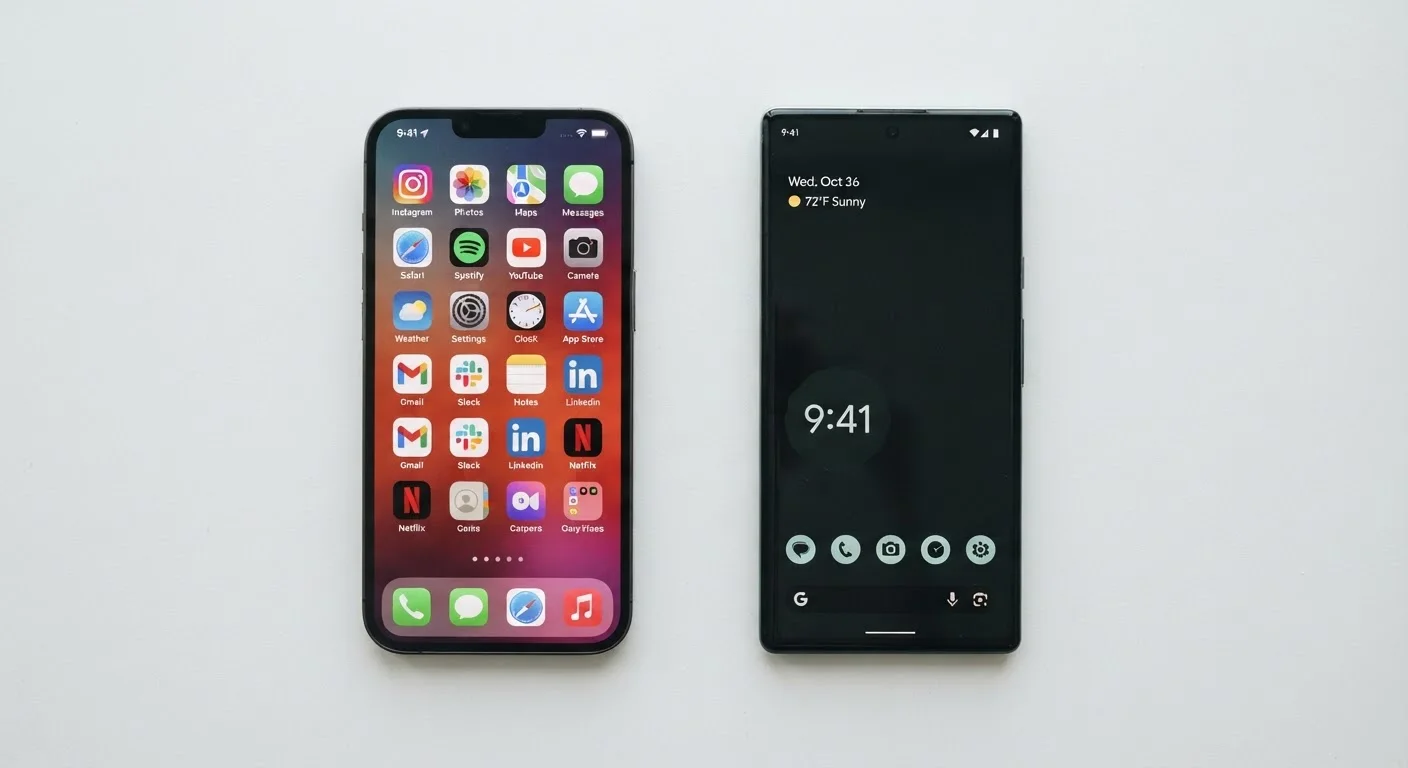
Photo: FaqExplorer.net | Informative Website editorial
Key Takeaways
- The operating system is the software layer that controls everything your phone does.
- iOS runs exclusively on Apple hardware; Android runs on phones from many different manufacturers.
- App availability, update schedules, and device longevity differ significantly between the two platforms.
- Android generally offers more customization; iOS prioritizes a more controlled, consistent experience.
- Switching platforms later means leaving behind purchased apps and some stored data.
- Your choice of OS affects which accessories, smart home devices, and services work most smoothly with your phone.
What a Mobile Operating System Actually Does
Every smartphone runs an operating system (OS) - a foundational layer of software that sits between you and the phone's physical hardware. When you tap an app, adjust brightness, or receive a text, the OS is what translates that action into something the hardware can execute.
Think of the OS as the phone's management system. It controls the display, microphone, cameras, and speakers. It decides how apps are allowed to access your location or contacts. It handles security patches, software updates, and how files are stored. Without an OS, the glass-and-metal device in your hand couldn't do anything at all.
Operating System (OS)
The core software that runs a device, managing hardware, apps, and user interactions. On smartphones, the OS is what you interact with every time you tap the screen.
iOS
Apple's mobile operating system, used exclusively on iPhones and iPads. Apple develops both the OS and the hardware it runs on.
Android
Google's open-source mobile operating system used by many different smartphone manufacturers. Each manufacturer can customize its appearance and features.
Sideloading
Installing an app on a device from a source other than the official app store. Android permits this; iOS generally does not, except in limited developer contexts.
Ecosystem
The collection of devices, services, and apps that work together under a single platform - for example, iPhone, Mac, iPad, and Apple Watch all sharing the Apple ecosystem.
Software Update
A download from the OS maker that improves features, fixes bugs, or patches security vulnerabilities. How quickly and how long updates reach your device depends on both the OS and manufacturer.
Understanding the OS helps demystify a lot of smartphone shopping. When you see specs like RAM or processor speed listed on a phone, remember those numbers only tell part of the story - how the OS uses those resources shapes real-world performance just as much as the hardware itself.
iOS and Android: The Two Major Players
For practical purposes, two operating systems power almost every smartphone sold in the United States: iOS (made by Apple) and Android (developed by Google and used by many device manufacturers).
iOS is exclusive to Apple hardware - iPhones and iPads. Apple designs both the software and the hardware, which gives it tight control over how they interact. This integration is a core reason iOS tends to deliver consistent performance and a predictable user experience across devices.
Android is an open-source platform, meaning Google makes its core code available for manufacturers like Samsung, Google itself (via Pixel phones), OnePlus, and others to build on. Each manufacturer can customize Android's appearance and add their own apps and features. This is why two Android phones from different brands can look and feel quite different even though they run the same underlying OS.
A useful parallel: if iOS is like a curated, walled neighborhood with consistent rules, Android is more like a city where zoning varies by district. Neither is inherently superior - they reflect different philosophies about what a smartphone experience should be.
Apps, Updates, and the Ecosystem Question
Apps are distributed through platform-specific stores: Apple's App Store for iOS, and the Google Play Store for Android. Both stores carry most major apps, but niche or specialized apps sometimes arrive on one platform before the other, and occasional exclusives do exist.
Software updates are a significant practical difference. Because Apple controls both hardware and software, iOS updates roll out simultaneously to all supported iPhones. Android updates work differently - Google releases the update, then manufacturers adapt it for their devices, then carriers may review it before pushing it to users. This chain can delay updates by weeks or months, and not every Android device receives updates for the same length of time.
Check a Phone's Update Commitment Before Buying
The ecosystem question is worth thinking through before you commit. If you already use a Mac, iPad, or Apple Watch, an iPhone integrates more seamlessly with those devices. If you use Google services heavily - Gmail, Google Docs, Google Photos - Android may feel more native to your existing habits. Switching platforms later is possible but involves real friction, particularly around purchased apps and stored data.
For those curious about how carrier-level features interact with your OS choice, our guide on Wi-Fi Calling and VoLTE explains what those settings actually do on either platform.
Customization, Privacy, and Control
Android generally gives users more control over how their phone looks and behaves. You can set third-party apps as defaults for email, browsers, or even the home screen launcher. Widgets, icon layouts, and system-level behaviors are more adjustable. Android also allows sideloading - installing apps from sources outside the official Play Store - though this introduces security considerations worth understanding before attempting.
iOS is more restrictive by design. Apple limits how deeply third-party apps can access system functions, and until recent years, many defaults (like the browser or email app) couldn't be changed at all. The trade-off is that iOS's constrained environment makes certain categories of malware significantly harder to distribute.
Privacy controls have evolved on both platforms. iOS provides clearly labeled permission prompts and a transparency report showing how apps use your data. Android has added similar features in recent versions, though the experience can vary depending on the manufacturer's software layer.
Storage management is another area where the OS matters. Understanding how storage and RAM work together on your specific platform helps you avoid running out of space or buying more capacity than you need.
How to Think About Your Choice
For most new smartphone owners, the OS choice comes down to three practical questions: What devices do the people around you use? What services are already part of your digital life? And how much do you value customization versus consistency?
If your household already shares Apple devices or relies on services like FaceTime and iMessage, iOS may reduce friction. If you prefer flexibility in how you configure your phone, or you're already invested in Google's suite of apps, Android may suit you better.
What the OS choice doesn't determine - at least not directly - is raw performance. The relationship between a phone's chip and its everyday speed is more nuanced than most listings suggest. Our guide on common phone processor myths breaks down what actually drives the experience you feel day to day.
If you're also weighing a tablet alongside a phone, the OS question carries over there too - understanding where tablets fit relative to laptops can help you see how the ecosystem choice scales across devices.
Neither iOS nor Android is the universally correct answer. What matters is matching the platform's strengths to how you actually use a phone.
Frequently Asked Questions
The content on this site is provided for informational purposes only and should not be considered a substitute for professional advice. While we strive to provide accurate and up-to-date information, we make no guarantees regarding its completeness or accuracy. Always consult a qualified professional for advice specific to your circumstances before making any decisions.