
Windows vs. macOS vs. ChromeOS: Choosing an Operating System That Fits Your Life

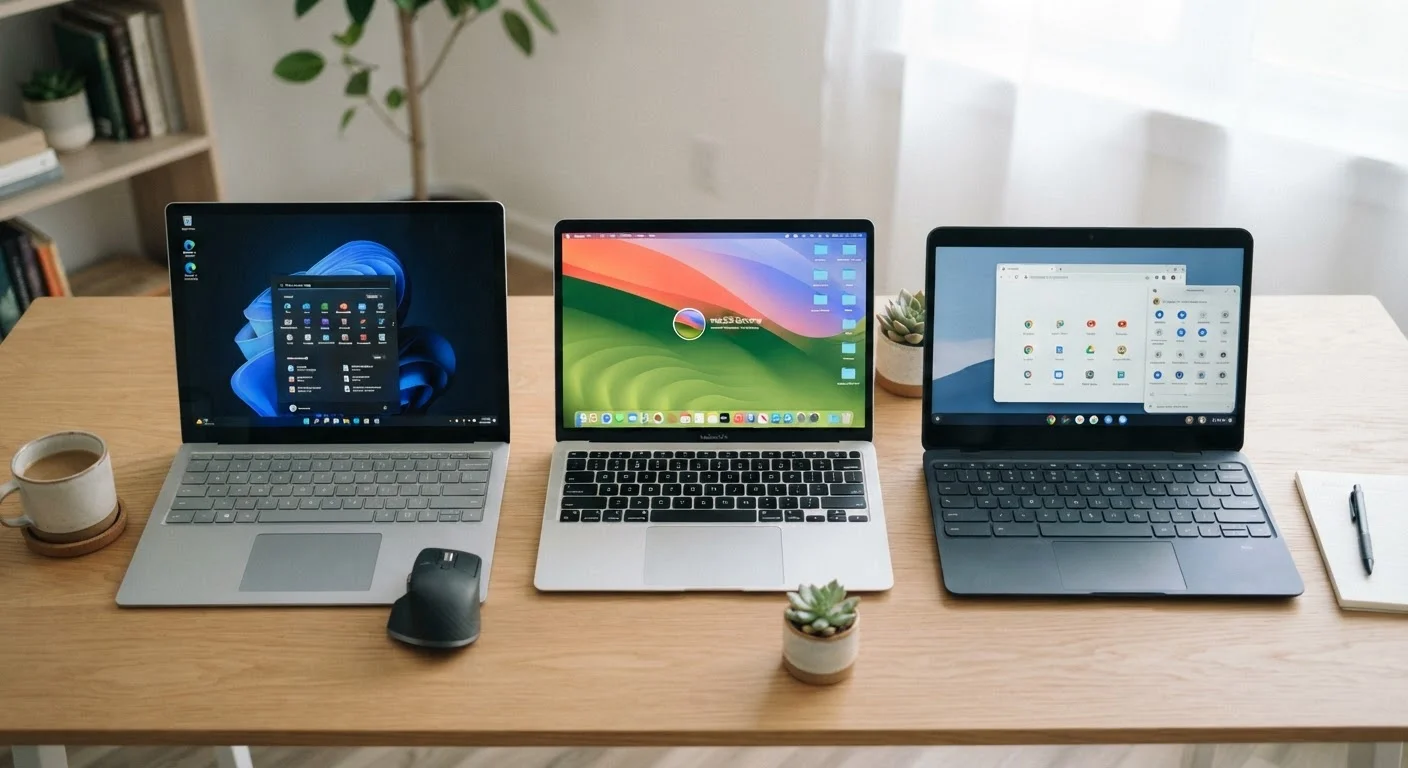
Photo: FaqExplorer.net | Informative Website editorial
Key Takeaways
- Windows offers the widest hardware choice and software compatibility, making it versatile but variable in quality.
- macOS delivers a tightly integrated hardware-software experience best suited to users already in the Apple ecosystem.
- ChromeOS is cloud-first and highly secure, but depends heavily on internet connectivity and web-based tools.
- Your existing devices, required software, and budget matter more than any single OS feature.
- All three platforms now support video calls, streaming, and basic productivity tasks with minimal friction.
What an Operating System Actually Does
An operating system (OS) is the software layer that manages everything between your hardware and the apps you use. It controls how files are organized, how programs run, how updates are delivered, and how the interface looks and behaves. Choosing an OS is less about picking the one with the most features and more about picking the one whose trade-offs fit how you actually work and live.
The three dominant desktop operating systems - Windows, macOS, and ChromeOS - each reflect a distinct design philosophy. Windows prioritizes compatibility and choice. macOS prioritizes integration and polish. ChromeOS prioritizes simplicity and security. Understanding those philosophies cuts through most of the marketing noise. For help thinking through the physical form factor of your next computer, see our guide to laptops vs. desktops.
Windows: Maximum Flexibility, Variable Experience
Windows runs on hardware from hundreds of manufacturers, which means you can find a Windows machine at almost any price point and in almost any configuration. That breadth is its core strength. Need to run specialized industry software - a tax suite, a CAD program, a niche audio tool - Windows is almost certainly supported. Gamers also default to Windows because the vast majority of PC games are built for it first.
The trade-off is consistency. Because Microsoft doesn't control the hardware, the quality of a Windows experience varies significantly depending on what you buy. A premium Windows laptop can feel as refined as any computer on the market; a budget model may feel sluggish or cheaply built. Windows also carries a larger attack surface for malware, meaning antivirus awareness and regular updates matter more than on competing platforms.
Check Storage Type Before You Buy
If you're considering a Windows device, pay close attention to storage type. A solid-state drive (SSD) versus a traditional hard disk makes a more noticeable difference to everyday speed than almost any other spec. Our SSD vs. HDD breakdown explains what to look for.
macOS: Integration Over Openness
macOS runs exclusively on Apple hardware, which is both its limitation and its advantage. Because Apple controls both sides of the equation, the software is tuned precisely to the machine. The result is a system that tends to feel smooth and predictable across its entire product line. Battery life, display calibration, and performance under workload are typically optimized in ways that cross-platform operating systems can't guarantee.
macOS shines for users already using an iPhone or iPad. Features like Handoff (starting a task on one Apple device and continuing on another), AirDrop, and iMessage integration create a genuinely seamless cross-device experience. For video editors, photographers, and audio producers, macOS has long been a preferred platform due to the depth of professional creative software available for it.
The clear downside is cost. Apple hardware generally commands a price premium, and the closed ecosystem means fewer hardware choices. Some Windows-only software won't run on macOS at all, though many popular applications are cross-platform.
| Windows | macOS | ChromeOS | |
|---|---|---|---|
| Hardware variety | Very wide - many manufacturers | Limited to Apple devices | Moderate - several Chromebook makers |
| Price range | Budget to premium | Mid to premium only | Mostly budget to mid-range |
| Software compatibility | Broadest native app support | Strong creative/pro app library | Web and Android apps only |
| Security & maintenance | Requires active attention | Strong, less hands-on | Excellent, near-automatic |
| Offline capability | Full functionality offline | Full functionality offline | Limited without internet |
| Ecosystem integration | Neutral, broad compatibility | Deep Apple device integration | Deep Google service integration |
ChromeOS: Built for the Browser Era
ChromeOS, developed by Google, takes the most opinionated stance of the three: it treats the browser as the computer. Most tasks - email, documents, spreadsheets, video calls, media streaming - happen inside the Chrome browser or through Android apps available via the Google Play Store. Because the OS itself is lean and the attack surface is small, ChromeOS devices are among the most secure consumer computers available and receive fast, automatic updates.
Chromebooks (the laptops that run ChromeOS) are frequently among the most affordable computers on the market. For students, light home users, or anyone whose digital life revolves around Google Workspace or similar web tools, a Chromebook can handle the full workload without the overhead of a traditional OS. The limitation is offline capability - without an internet connection, ChromeOS is significantly more constrained than Windows or macOS.
ChromeOS also can't run native Windows or macOS applications, so users who need specific desktop software may find it falls short. It's worth comparing this approach to how mobile platforms handle apps - our introduction to mobile operating systems draws some useful parallels.
~72%
Global desktop OS market share held by Windows
According to StatCounter's global desktop operating system data, Windows consistently holds the largest share of desktop users worldwide.
~15%
Global desktop share held by macOS
StatCounter data places macOS as the second most-used desktop OS globally, with stronger concentration in North America and creative industries.
Making the Call: Questions That Cut Through the Noise
Rather than comparing spec sheets, ask yourself four practical questions before deciding:
- What software do I need to run? If you rely on a specific application, check its platform compatibility first. That alone may settle the decision.
- What devices do I already own? If you use an iPhone, macOS integration is genuinely valuable. If you live in Google Workspace, ChromeOS removes friction. If you use a mix of everything, Windows tends to be the most neutral ground.
- How much do I want to manage my computer? ChromeOS requires the least ongoing maintenance. macOS sits in the middle. Windows gives the most control but asks the most of you in return.
- What's my budget? ChromeOS devices cover the low end. Windows spans low to high. macOS occupies the higher end of the market.
If you're also weighing whether thin-and-light designs will affect your connectivity options, our guide to ports and connectivity is worth reading before you buy.
The content on this site is provided for informational purposes only and should not be considered a substitute for professional advice. While we strive to provide accurate and up-to-date information, we make no guarantees regarding its completeness or accuracy. Always consult a qualified professional for advice specific to your circumstances before making any decisions.