
Setting Up a Smart Home From Scratch

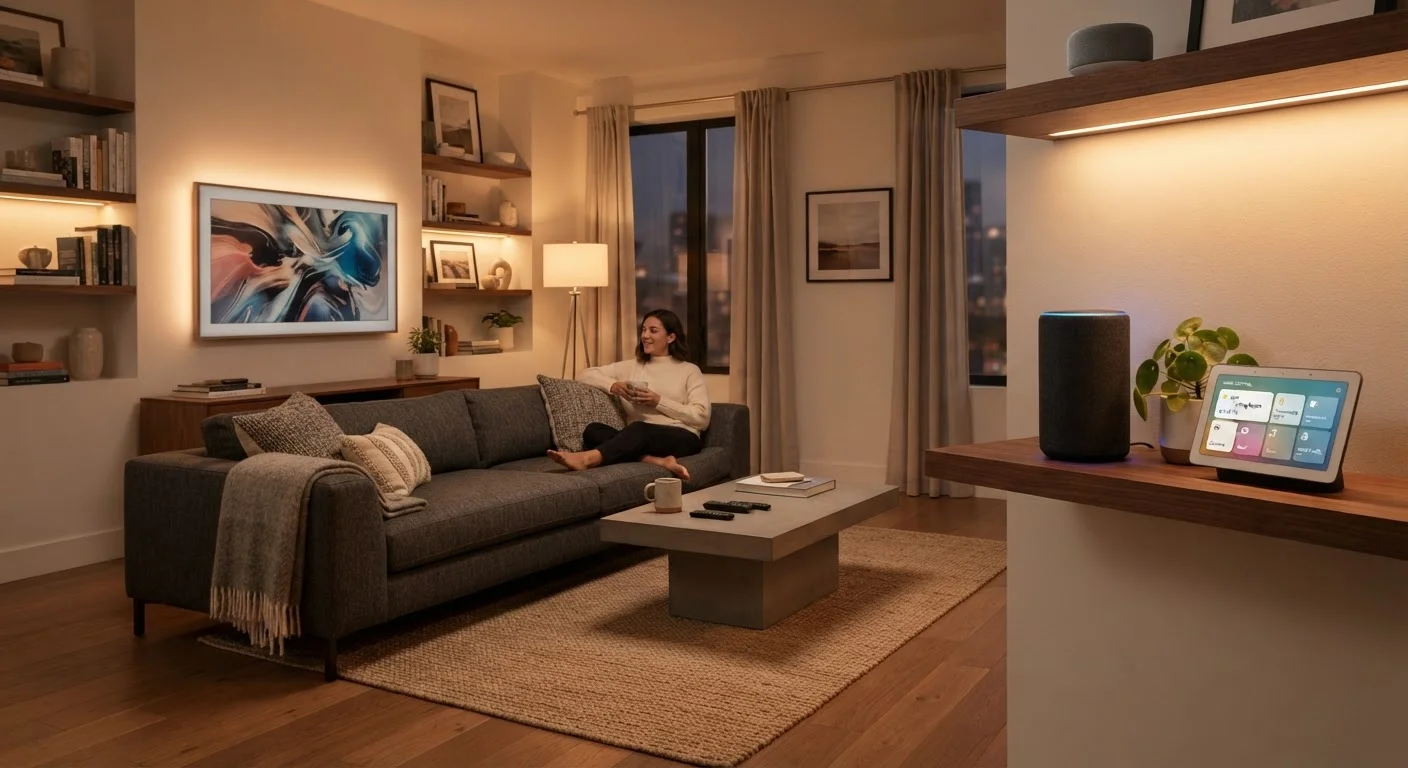
Photo: FaqExplorer.net | Informative Website editorial
Key Takeaways
- Choosing a single ecosystem before buying any devices saves money and frustration later.
- A reliable home Wi-Fi network is the non-negotiable foundation of any smart home.
- Start with high-impact, low-complexity devices like smart lighting or a thermostat.
- Hubs are optional for some setups but essential for certain communication protocols.
- Privacy and security settings deserve attention before, not after, devices go online.
What a Smart Home Actually Is
A smart home is simply a residence where everyday devices - lights, locks, thermostats, cameras - can be monitored and controlled remotely or through automated rules. The "smart" comes from the devices' ability to communicate: with you, with each other, and with a central platform.
The technology ranges from a single connected light bulb you control from your phone to a whole-home system where dozens of devices respond to your schedule, voice, or presence. Neither extreme is the right answer for everyone. What matters is starting with a clear idea of which problems you actually want to solve - better energy management, easier lighting control, remote security monitoring - rather than buying devices because they exist.
Ecosystem
A platform - such as Google Home, Amazon Alexa, or Apple HomeKit - that acts as the central software environment connecting and controlling all your smart devices.
Hub or Bridge
A physical device that translates communication between your home network and smart devices that use protocols like Zigbee or Z-Wave, which cannot connect directly to Wi-Fi.
Protocol
The wireless language a smart device uses to communicate - common options include Wi-Fi, Zigbee, Z-Wave, Bluetooth, and the newer Matter standard.
Automation
A programmed rule that triggers one or more smart home actions automatically - for example, turning lights off when everyone leaves the house.
Matter
An open industry standard that allows smart home devices from different manufacturers to work together across multiple ecosystems without compatibility issues.
Mesh Wi-Fi
A home networking system using multiple router nodes to create a single, seamless wireless network that covers larger areas without dead zones.
Choosing an Ecosystem First
Your ecosystem decision is the most consequential choice you'll make, and it should come before you purchase a single device. The three dominant platforms in the U.S. are Amazon Alexa, Google Home, and Apple HomeKit. Each has different strengths in terms of device compatibility, voice assistant integration, and local versus cloud processing.
Consider which smartphone platform you already use, which voice assistant you prefer, and which devices in your home are already connected - a smart TV, a streaming speaker - as these often hint at an existing ecosystem alignment. The newer Matter standard is gradually reducing the pain of mixing brands, but for most home setups a single-ecosystem approach remains simpler to manage and troubleshoot.
Ecosystem Lock-In Is Real
Hubs, Bridges, and Your Home Network
Once you've chosen an ecosystem, evaluate your home network. Smart devices depend entirely on a stable, well-distributed wireless signal. In homes larger than about 1,500 square feet, a mesh Wi-Fi system is worth considering before adding any connected devices - it eliminates dead zones that cause smart devices to drop offline unpredictably.
Next, determine whether your chosen devices need a hub. Wi-Fi devices connect directly to your router. Zigbee and Z-Wave devices - common in lighting and sensors - require a hub or bridge to translate their signals onto your network. Some ecosystems bundle a hub into a smart speaker or display; others sell hubs separately. Our deep dive into smart home hubs explains the tradeoffs in detail.
Which Devices to Add and in What Order
A practical sequencing approach reduces frustration and wasted spending. Start with devices that are high-impact, low-complexity, and easily reversible:
- Smart lighting - Bulbs or switches require no hub in most Wi-Fi configurations and deliver immediate, visible results. They're also the easiest to test and return if something doesn't work.
- Smart thermostat - One of the most impactful additions for daily comfort and energy awareness. See our smart thermostat basics guide before choosing a model.
- Smart plugs and outlets - Inexpensive, no installation required, and useful for adding basic remote control to any existing lamp or appliance.
- Security devices - Cameras and smart locks carry higher stakes; research compatibility and local data storage options carefully before committing.
Start Small, Then Expand
As your setup grows, use your ecosystem's app to create automations - scheduled routines or condition-based triggers that make devices work together without manual input each time.
Privacy and Security Basics
Smart devices are networked computers, and they carry the same security responsibilities as any device on your home network. Before any device goes live, take a few foundational steps:
- Change the default password on your router and use a strong, unique password for every device account.
- Enable two-factor authentication on your ecosystem account wherever available.
- Keep device firmware updated - manufacturers regularly patch security vulnerabilities.
- Consider placing smart home devices on a separate guest network segment, isolating them from computers and phones that hold sensitive data.
Privacy concerns - particularly around always-on microphones in voice assistants - are reasonable to think through. Our smart home privacy guide separates the realistic risks from common misconceptions. For a comprehensive set of ongoing security habits, see our connected device security guide.
Renters Have Options Too
Frequently Asked Questions
The content on this site is provided for informational purposes only and should not be considered a substitute for professional advice. While we strive to provide accurate and up-to-date information, we make no guarantees regarding its completeness or accuracy. Always consult a qualified professional for advice specific to your circumstances before making any decisions.